Getting Started in Frozen Ship
Your first hours as captain — jobs, craft, heat, and the moving ship.
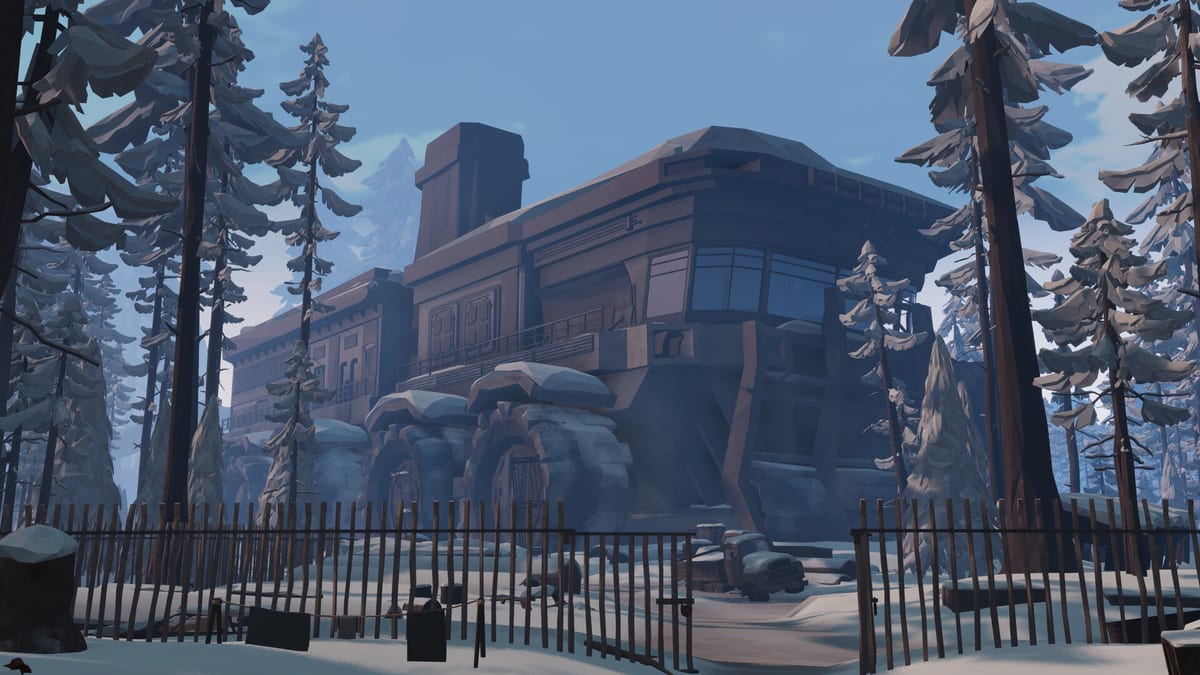
Frozen Ship drops you into command faster than it explains every menu. Nionetix’s first-person survival expedition—planned for Steam Early Access on August 7, 2026 for Windows PC—asks you to lead roughly twenty crew members aboard a steam-powered mobile fortress crossing a procedural frozen wasteland. The story begins after you leave the last dying safe haven; from that moment, every day is a negotiation between progress, supplies, and the clock.
This guide focuses on the first session: what to click first, what to craft first, and which habits prevent an embarrassing freeze on day one.
What you are actually managing
Three layers run at once:
- The ship — a slow-moving base with furnaces, build slots, storage, and research. It never stops crawling forward while you are outside.
- The crew — workers you assign each morning to gather wood, cook, craft, build, or scavenge alongside you.
- You — the captain on foot, with your own freezing meter, tools, and time costs on every action.
Hope ties them together. Crew belief in the mission falls when people die, go hungry, or watch you waste a day. Read Manage Hope once you survive the first evening; for now, treat visible shortages as early warning signs.
First morning: assign before you exit
Open crew management and assign essential jobs before stepping off the ship. Demo players consistently report that unassigned labor is wasted labor.
Prioritize in this order early on:
- Fuel and heat — assign gatherers to wood and materials that keep furnaces fed. Overnight cold near −60°F in preview coverage kills crew if the ship runs thin on heat.
- Food — cooking and scavenging assignments prevent hunger from stacking with cold stress.
- Build and craft — one worker on a critical construction or bench unlock usually beats spreading everyone thin.
Detailed slot logic lives in Work Assignments and Crew Management. On day one, bias toward warmth and calories over ambitious expansion.
Craft your first axe (and understand time)
You need a chopping tool before forestry is realistic. Route through the onboard crafting flow—see Crafting for bench requirements—and produce an axe as soon as materials allow.
Frozen Ship uses heavy time costs: felling a tree can consume an hour or more of in-game time, not a few animation swings. That matters because:
- The ship keeps moving while you chop.
- Your freezing exposure accumulates while you work.
- Afternoon disappears faster than the UI suggests when tutorials end.
If you only remember one rhythm from How to Play, make it this: short outbound tasks early, long tasks only when you know the ship’s path.
Step off the ship with a return plan
Exploration is first-person and grounded. You break down abandoned objects, pull plastics and fabrics from ruins, and collect wood within walking distance of the ship’s trail. The overworld is built from procedural fragments, so landmarks differ between runs—see Exploration for route thinking.
Before you leave:
- Note the ship’s direction and approximate pace (previews describe it as slow but relentless).
- Carry whatever clothing or consumables you have for cold—Survive the Cold covers meter management.
- Pick one gathering goal: a few wood trips, one ruin strip, or a short material haul—not all three on day one.
First return: treat dusk as a hard rule
Official copy and every demo impression agree: come back by evening. Staying in the open forest after dark is how captains and crew die.
Return to the Ship is the dedicated guide for tracking a moving base; beginners should start with a conservative radius. When in doubt, abort the last crate and walk back early. A partial haul beats a full inventory left on the ice.
Inside, check furnaces, food stores, and the hope readout. Queue one small upgrade if materials allow—Build Priority suggests heat and storage before cosmetic expansion.
End of day one: travel or hold
After evening management, you choose whether the expedition pushes into new territory or holds to consolidate. Day one is almost always a hold day: stabilize heat, feed everyone, and queue a furnace or storage improvement on Ship Buildings.
Story events and difficulty settings can inject surprises—workers found, stashes discovered, or setbacks that punish hesitation. Expect narrative prompts as you progress; difficulty determines whether an event is flavor or a crushing blow.
Where to go next
| If you… | Read next |
|---|---|
| Keep misjudging distance | Return to the Ship |
| Die to cold despite returning | Survive the Cold |
| Lose crew trust after one mistake | Manage Hope |
| Want a full day mapped beat-by-beat | Demo Walkthrough |
| Need a printable prep list | Expedition Checklist |
Frozen Ship is single-player with single-player only. There are no codes or scripts—progress is systems mastery and story choices. Wishlist or verify specs on System Requirements if you are waiting for Early Access.
Frequently Asked Questions
Quick answers to the most common questions.
What should I craft first in Frozen Ship?
An axe is the usual first priority so you and assigned gatherers can convert nearby trees into furnace fuel. Check your crafting bench requirements onboard and craft before wandering far from the ship.
Should I explore or manage the ship on day one?
Do both, but briefly. Assign crew and heat-related jobs first, craft tools, then take a short gathering loop with an early return. Use the first evening to upgrade heat or storage rather than pushing travel.
Why does the ship move while I am outside?
The mobile fortress is the core design. It carries your crew, furnaces, and build slots across the wasteland. Constant movement forces you to track its path and budget time on every action.
How long is a Frozen Ship in-game day?
Days pass quickly relative to action costs—chopping and scavenging can take an hour or more each. Treat time as a resource and plan returns well before the light fades.
Is the demo enough to learn the full game?
The demo teaches the captain loop, cold pressure, and crew jobs, but Early Access will add depth to research, factions, and story. Use Getting Started for habits that survive beyond the tutorial.